
Connections
In order to present data in visualizations, edgeCore first needs to know where the data is coming from. Connections can be made to a variety of different data sources. Feeds off of these connections are then used to pull in raw data.
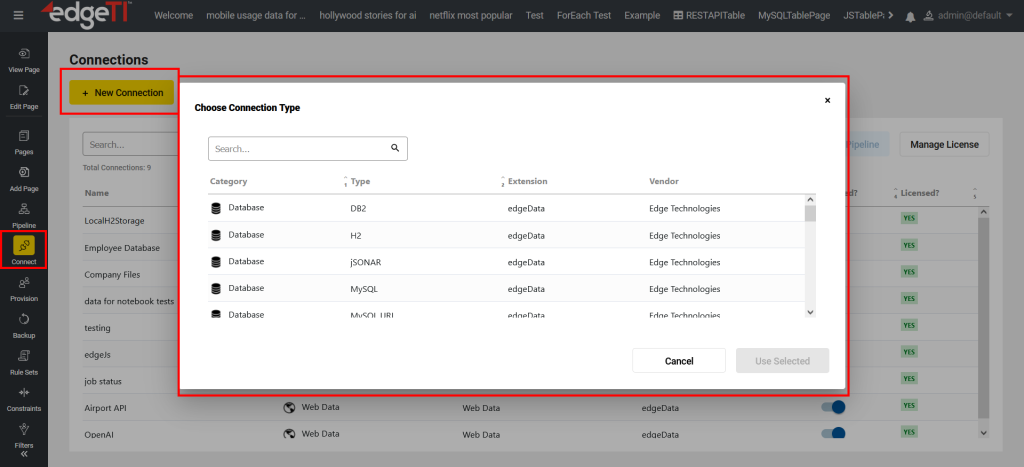
The following connections are available in edgeCore:
| Connections | Data Sources | Additional Info |
| Database |
|
Certain databases require a driver to be installed in the /libs directory; |
| Supported email providers: Gmail, Yahoo Mail, Outlook, Zoho Mail, Mail.com, AOL, iCloud Mail; |
||
| File | Server Filesystem | Enables users to connect to a specific directory on the local server; Data from individual files are brought into the system as “feeds”. |
| Javascript | Javascript | Provides a launching point from which to create a JavaScript Server Action or JavaScript Feed; The action runs a user-defined script and, optionally, updates one or more other feeds after the script runs. The Feed, in conjunction with the Connection, is meant to provide the most open-ended approach for fetching and/or generating data for the pipeline. |
| Push | Push | Allows the server to accept data that is sent from an outside source. This can be done either with the Edge CLI push command, or through an HTTP post to {edgeSuiteHost}/es-push/{feedName}. The latter option can be accomplished with a tool such as cURL, provided that a valid session cookie is included in the request headers, the request body contains the data to be sent, and feedName refers to a valid Push Feed. |
| Shell | Shell Exec | Allows edgeCore to execute a command and capture the response which is expected to be in either CSV, JSON, or XML format; Alternatively, users can configure an action off of a Shell Exec connection. The action runs a server side script and, optionally, updates one or more other feeds after the server side script runs. |
| System | Enables users to access various metrics that are tracked; The connection is read-only, and therefore it can be neither edited nor deleted. | |
| Web Content | Client Proxy (ECP) | Supported integrations include Grafana, Jira, Hubspot, ServiceNow, SalesForce, Splunk, and many more; |
| Web Content | Web Content | Intended to bring third-party content and functionality directly into the edgeCore interface, and as such, defines how to reach a third-party web application; It also provides options to configure sign-on to occur automatically, and which credentials should be used. |
| Web Data | Web Data | Refers to raw data that has been fetched via the edgeWeb component of the edgeCore server; Web Data connections specify an HTTP connection through which edgeCore can retrieve structured data. It takes advantage of the SSO capabilities of the edgeWeb component, as well as the content transformation functionality (though this is generally not required). Web data is made available to the data transformation pipeline through the standard types of document-based data feed. |
Feeds
A feed brings data or web content in from a defined connection. Data Parsers are used within Feeds to parse document data such as CSV, JSON, XML, etc. These data parsers transform document data into a tabular data set which can then be used in visualizations.
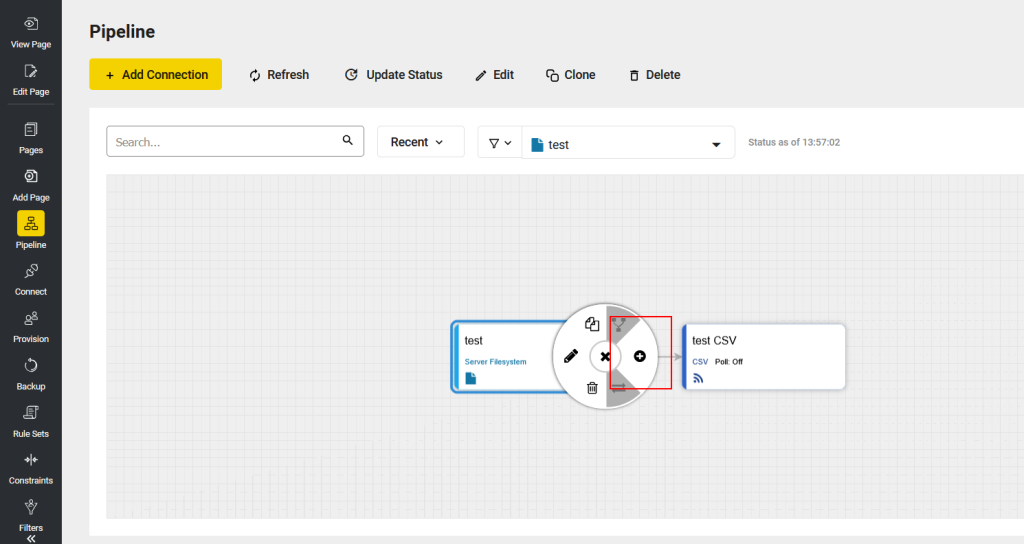
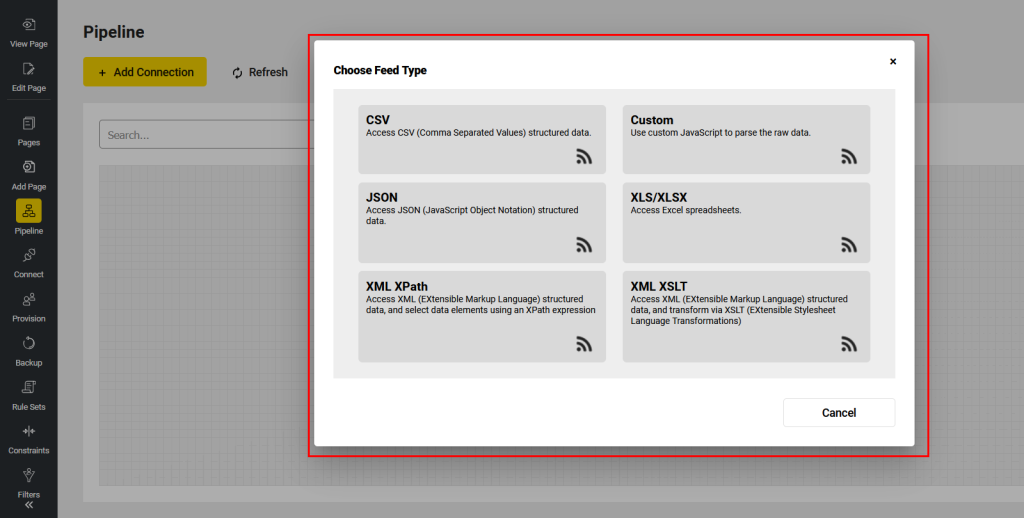
The following feeds are available in edgeCore:
| Data Feed Types | Description |
| CSV | Brings in a tabular dataset from a target CSV (comma-separated values) source; |
| Custom | Allows the raw document to be processed by JavaScript to construct an appropriate tabular dataset; |
| JSON | Parses target JSON data and brings in a tabular dataset; |
| XLS/XLSX | Enables users to access Excel spreadsheets; |
| XML XPath | Enables users to access XML (EXtensible Markup Language) structured data and select data elements using an XPath expression; |
| XML XLST | Enables users to access XML (EXtensible Markup Language) structured data and transform via XSLT (EXtensible Stylesheet Language Transformations); |
Transforms
Pipeline transforms provide tools to filter and manipulate datasets so they can be effectively visualized.
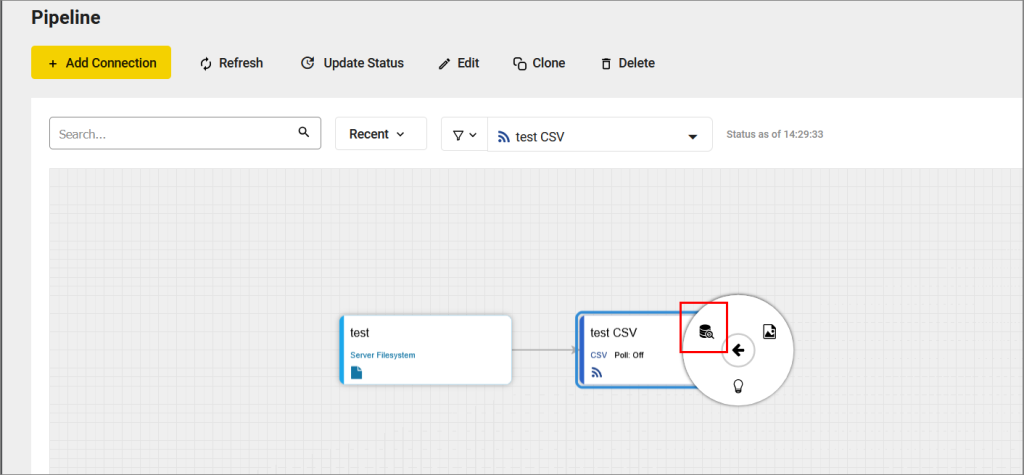
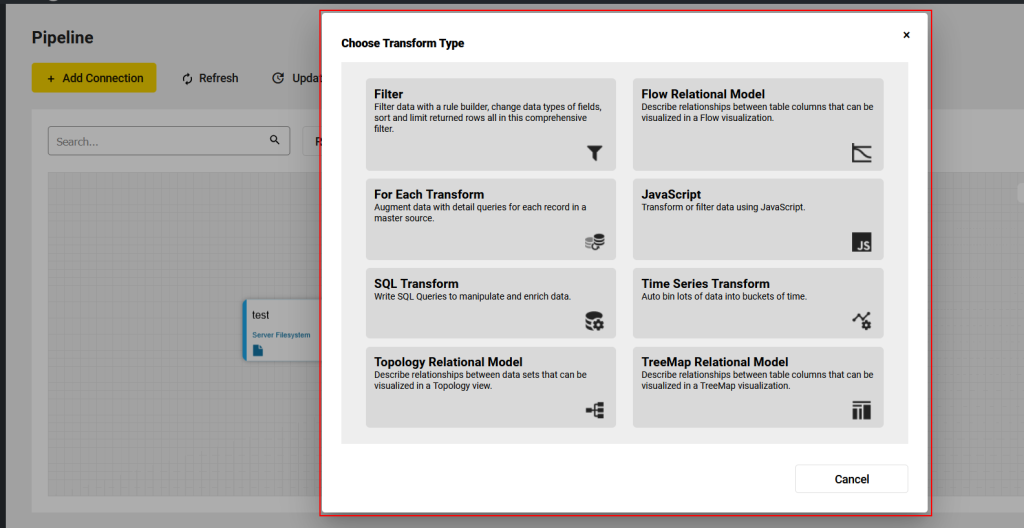
The following transforms are available in edgeCore:
| Transform Types | Description |
| Filter | Enables users to filter data, change data types of fields, sort and limit returned rows; |
| Flow Relational Model | Describes relationships between table columns and produces a data structure that can be visualized using a Flow Diagram; The important concept behind a Flow Relational Model is that it builds up a hierarchical dataset based on link information. |
| For Each Transform |
Iterates over each record in one source dataset (Master Dataset), and for a given column of data on the Master Dataset, each unique value is inserted into a node variable on the Detail Dataset to produce a new dataset; |
| JavaScript | Enables users to manipulate data programmatically using JavaScript; The JavaScript Transform can return a new, possibly restructured, dataset. |
| SQL Transform | Enables users to write a custom SQL statement to transform data; It is strongly recommended that you use the SQL Transform when performing complex transforms or filters instead of manipulating data outside the Edge product so that your tacit knowledge of how the data is being manipulated is saved in your backups. |
| Time Series Transform |
A time series is a collection of data that consists of measurements and the times when the measurements are recorded, and as such this type of transformation shows changes over time. |
| Topology Relational Model | Generates a special transform that produces a data structure used by Topology Visualizations; The current Topology Relational Model assumes a relationship between multiple tabular datasets. By describing these relationships, the model produces parent and child linkages that Topology Visualizations can consume to display. |
| TreeMap Relational Model | Produces a data structure that can be used by a TreeMap Visualization; The important concept behind a TreeMap Relational Model is that it builds up a hierarchical dataset based on node information. |