Prerequisites:
- Java 17 or later
- Download the .jar file
To set up SAML, take the following steps:
- <install saml-artifacts>
- install sp-saml-tools
- Place sp-saml-tools.jar in {edge-install-dir}/bin
- Append local.properties-template to local.properties
- cd {edge-install-dir}/conf
- cat local.properties-template >> local.properties
- Edit local.properties
- Comment out (or configure) saml.groupMap entries
- Set keystorePath to edgesp.p12 (or something else, just substitute that in the generate and import steps)
- Generate SP metadata
- java -jar ../bin/sp-saml-tools.jar generate-sp –out=/tmp/Edgecoreteam.xml –properties-file=local.properties –acs-url=http://{your-host-and-port}/–keystore=edgesp.p12 –entity-id=http://{your-host-and-port}/
- Configure Entra
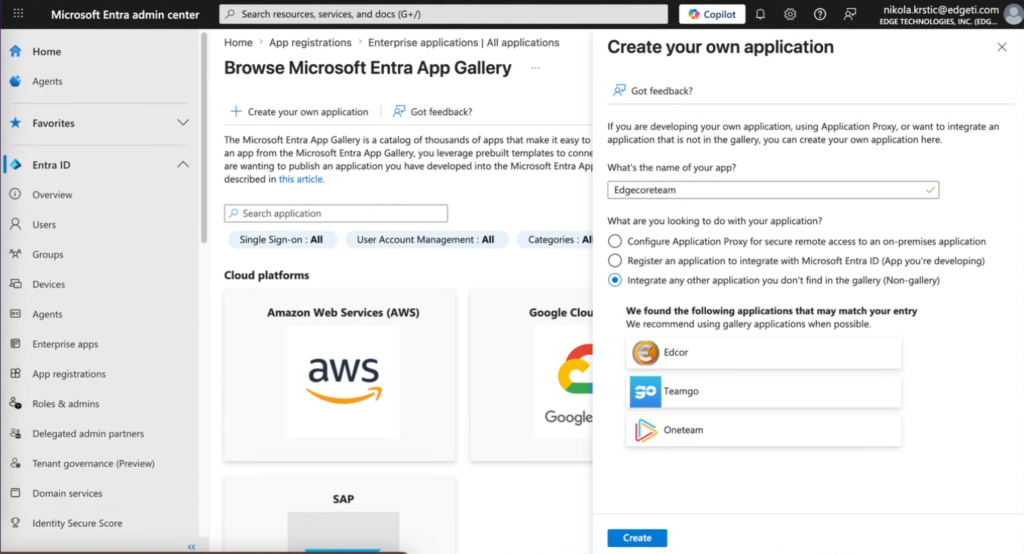
- Click Enterprise apps > +New Application > + Create your own application.
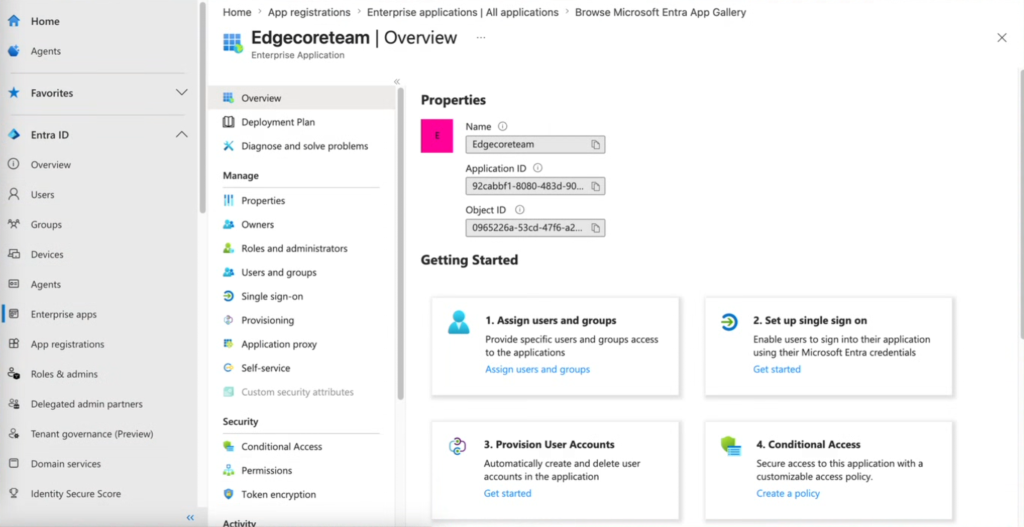
- Click Set up single sign on.
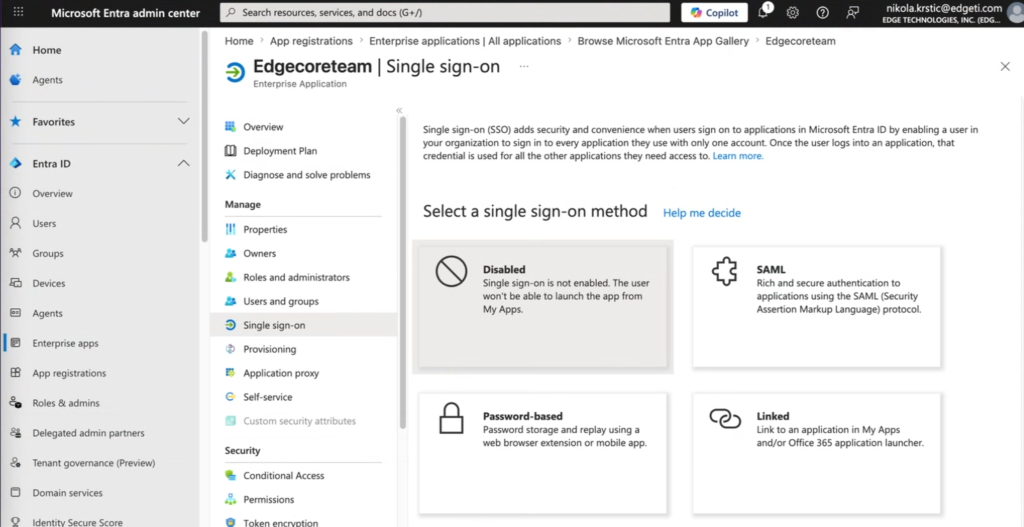
- In Select a single sign-on method, click SAML.
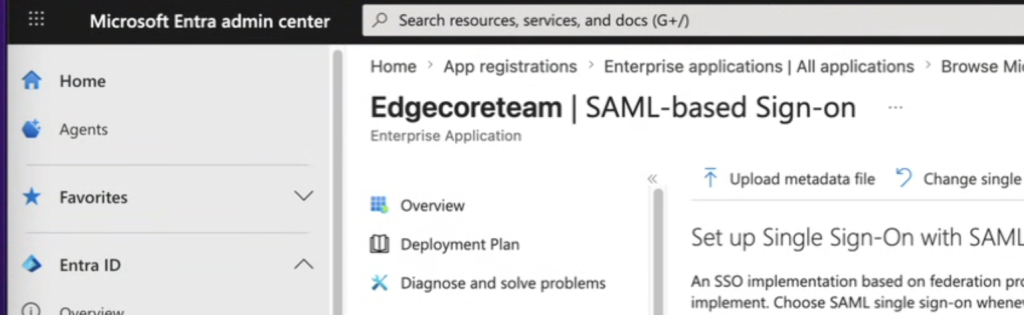
- Click Upload metadata file.
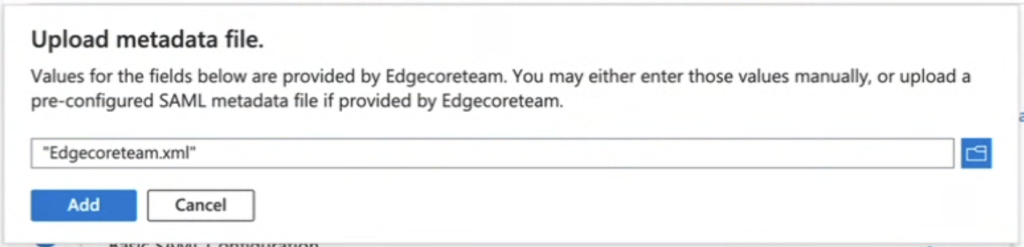
- Click Add.
- Go to Enterprise apps > Your app name (Edgecoreteam in our case) > Single sign-on and copy App Federation Metadata Url
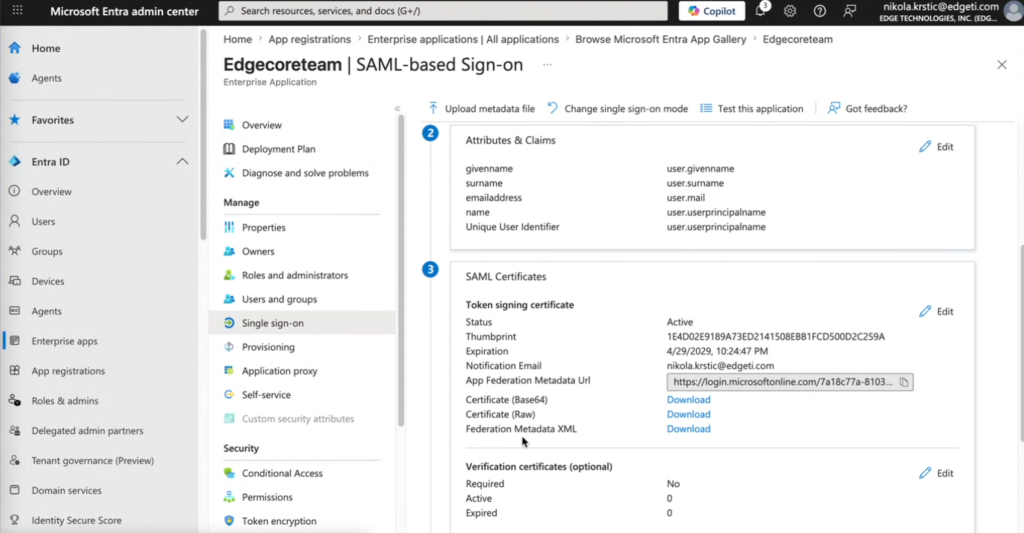
- Click Enterprise apps > +New Application > + Create your own application.
- Import the IdP metadata.
java -jar ../bin/sp-saml-tools.jar import-idp --properties-file=local.properties --keystore=edgesp.p12 --metadata="{url-you-copied}" - Restart edgeCore.